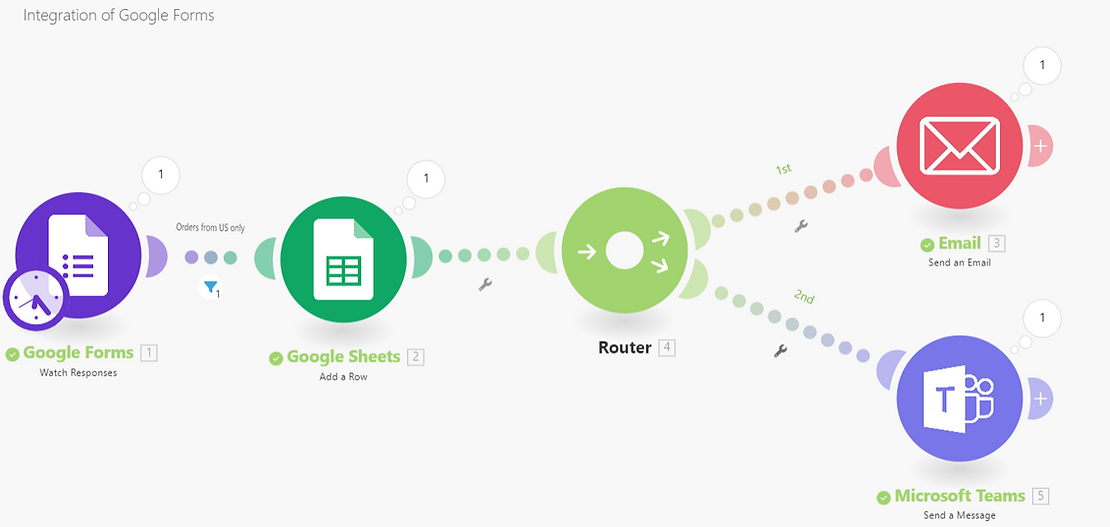
N8N, Zapier & Make.com vs. Custom Integrations: The Modern Automation Showdown
(And Why You Need to Think Before You Drag-and-Drop)
(And how to do it without losing your mind, or your data)

Is Excel holding together more of your business than you’d openly admit? Not the occasional pivot table or quarterly report… but the real infrastructure. Order tracking, client records, inventory, invoicing, or possibly all of it, threaded through a constellation of tabs and formulas that somehow holds everything together.
It works! Mostly. Excel is remarkably capable, and when you’re building a company from the ground up, few tools match its immediacy. But there’s a pattern we keep seeing across the SMEs we partner with. What began as a pragmatic solution has transformed into something far more entrenched: a lattice of interdependent files, macros, and shared drives that your team leans on every single day.
Excel remains exceptional at what it was built to do. The issues emerge when a spreadsheet graduates from “useful tool” to “operational backbone.” That’s when certain fault lines start to emerge.
Versioning dissolves into guesswork.
Three people. Three copies. One shared drive. Which file reflects this morning’s updates? Who overwrote whose changes last Thursday? Nobody is entirely sure. Coordination around a single source of truth becomes its own part-time job.
Manual entry is becoming a liability.
Every value entered manually is a small gamble. One miskeyed number in a formula can ripple silently through dozens of dependent calculations. You might not catch it for weeks… by then, invoices have gone out, reports have been presented, and decisions have been made on flawed data.
Only one person knows how it works
Somewhere in your organisation, there’s a spreadsheet that one person built, one person maintains, and one person genuinely comprehends. The nested formulas, conditional formatting logic, and macros that pull from two other files on a different server. If that person takes a holiday, changes roles, or leaves the company, the process they constructed doesn’t just slow down. It can stop.
4. Security is largely aspirational.
Excel provides no meaningful access governance. Files travel freely via email, land on USB drives, and get duplicated onto personal laptops. There’s no audit trail, no role-based permissioning, no way to reconstruct who altered what and when. For any business handling client-sensitive or financial data, that’s a compliance gap with real consequences.
5. Performance worsens with scale.
Large spreadsheets are very slow. Files seize up when two users open them simultaneously. Eventually you collide with Excel’s structural limits and when the tool itself is the bottleneck, it’s time to look at what comes next.
It isn’t about swapping a functional tool for a shinier one. It’s about giving your business infrastructure that can absorb the complexity and growth of the future.
A single source of true data.
Everyone operates from the same live dataset. No more excavating shared drives for the latest version, no more wondering whether you’re looking at yesterday’s numbers or last week’s. Someone updates a record, it’s reflected everywhere in an instant.
Automated workflows.
All those repetitive steps your team performs manually each week, like copying figures between sheets, compiling reports, and dispatching follow-up emails? These become automated processes that run reliably in the background. Your people reclaim hours to spend on work that genuinely demands their judgment.
Proper access control and audit trails.
Each team member sees precisely what they need to see. Nothing more. And every modification is recorded with a timestamp and an identity. This is essential for compliance… and it also eliminates an entire category of “who changed this?” conversations.
Real-time visibility.
Rather than assembling Monday-morning reports from old exports, you open a dashboard and the numbers are already there. Live, current, and ready for discussion.
Integration with the rest of your stack.
Your CRM talks to your invoicing platform. Your project management tool feeds into your reporting layer. Data migrates between systems on its own, instead of being manually re-entered across three or four applications by someone who has better things to do.
Room to grow.
A spreadsheet that handles 50 clients gracefully starts groaning at 500 and buckles at 5,000. Custom software scales alongside your operation… more users, heavier data volumes, greater complexity. The system accommodates it because it was engineered to.
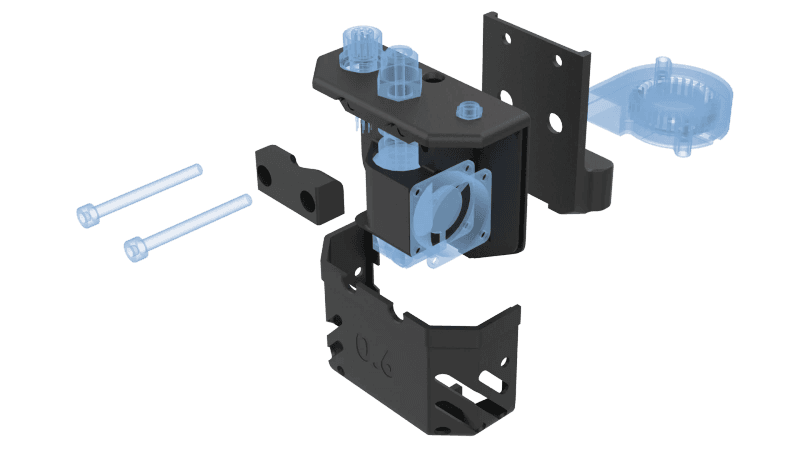
Rapidcenter specialises in 3D printing and additive manufacturing here in the Netherlands. When we first engaged with them, their production data and business intelligence systems existed in separate worlds. Information was entered by hand, often in multiple places. There was no real-time view of what was happening on the production floor, and keeping clients informed about order progress required manual effort at every stage.
We developed custom middleware to bridge the gap. The architecture connects Rapidcenter’s production operations directly to their BI platform through multiple API integrations. RabbitMQ handles message queuing for dependable data throughput. WebSocket connections deliver updates the moment they occur.
The transformation was substantial. Rapidcenter now operates with live dashboards that surface production metrics, order status, and operational efficiency in real time. Their clients receive automated updates throughout the entire production cycle… without anyone on the team needing to send a manual notification. The manual data entry that once consumed hours each week? Eliminated entirely.
What had been a patchwork of disconnected processes became a cohesive system. The team gained visibility. The clients gained confidence. The business gained a platform it could actually build on.
The shift from Excel to custom software doesn’t need to be a dramatic, company-wide upheaval. A more deliberate, incremental approach works considerably better.
Start with an honest audit
Catalogue what you’re relying on Excel for. Not every spreadsheet warrants replacement. A one-off calculation for a client proposal and the employee birthday tracker is fine where it is.
What you’re hunting for are the files that sit at the centre of mission-critical workflows, get touched by multiple people daily, and consistently generate frustration. Those are your migration candidates.
Map the process, not the spreadsheet
This step repays itself many times over. Before you write a single line of code or evaluate a single platform, invest time in understanding the underlying business process. What are the inputs? The outputs? Where does data get re-entered or transferred by hand?
Pick one process and start there
Identify the workflow that generates the most friction or carries the highest risk to leave as is. Tackle that one first. Build it. Deploy it. Learn from the experience.
This yields a working result quickly, builds organisational confidence, and provides concrete lessons that shape every subsequent migration.
Kies het juiste gereedschap
Luckily, there are a variety of options, and they’re not mutually exclusive.
Off the shelf solutions excel (excuse the pun) when your process is relatively standard: CRM, project management, invoicing. The advantages are speed and cost. The trade-off is that you’re reshaping your workflow to fit the tool, rather than the reverse.
Low-code platforms occupy a useful middle ground. They work well for simpler internal tools and straightforward workflows, but tend to strain under complex business logic or heavy data processing.
Fully custom software becomes the right choice when your process is genuinely distinctive, when you need absolute control over the data, or when the operational stakes justify a more considered investment. Higher upfront cost, but you get precisely what your business requires.
Plan for data migration
Your data currently resides in Excel. Transplanting it into a new system involves cleaning, validation, transformation, and careful import. This phase is almost universally more labour-intensive than anyone anticipates going in. Budget accordingly and test rigorously. Plan it well before your go-live date… not the night before.
Bring your team into the process early
The people who’ve lived inside those spreadsheets for years possess knowledge that no requirements document fully captures. They understand the edge cases, the quirks, and the workarounds that exist for reasons nobody documented.
Involve them during process mapping, invite them into development reviews, and give them meaningful time with the system during testing. When people feel genuine ownership over a new tool, adoption ceases to be a problem.

Moving from Excel to purpose-built software has always been a sound decision for growing companies. What’s shifted dramatically in recent years is that AI has compressed timelines, reduced costs, and expanded what’s technically feasible at every stage of the process.
Development has accelerated considerably.
AI-augmented development tools allow our engineering team to write, test, and iterate on code at a pace that would have been impractical a few years ago. The practical implication for you: shorter project timelines, more functional software, and reduced costs, without sacrificing quality.
Existing spreadsheets can be reverse-engineered automatically.
Before building anything new, AI can analyze your current Excel files and see what’s actually happening inside them. It can look at the formulas, the data structures, and the hidden interdependencies between sheets. This turns the audit and process-mapping phases from a painstaking exercise into something far more systematic.
Software can reason, not just execute.
Traditional automation follows rules. AI-enhanced software interprets context. Consider an inventory system that doesn’t merely track stock levels but anticipates depletion based on seasonal trends and historical data. Or a customer service platform that detects emerging complaint patterns before they escalate. Or a reporting layer that highlights the three data points you should actually be paying attention to this week, rather than burying them in a 40-page export.
Complex data becomes conversationally accessible.
Not every colleague needs to master a new dashboard or learn query syntax. Natural language interfaces allow team members to simply ask questions: “Which suppliers had the longest lead times last quarter?” The system responds with a useful answer. No training manual required.
Custom solutions have become economically viable for far more businesses.
Projects that once demanded large teams and correspondingly large budgets can now be delivered in a fraction of the time. AI doesn’t eliminate the need for skilled engineering. What it does is multiply the impact of that expertise… making bespoke software attainable for SMEs that would have dismissed the idea as prohibitively expensive, even for SMEs that have complex compliance requirements.

The real question isn’t whether to move. It’s when.
Every growing business eventually encounters the same problems with Excel. Excel served you well, and for plenty of tasks, it still will. But for the workflows that define how your organisation operates on a daily basis, there’s a meaningful difference between a spreadsheet and a system purpose-built for the job.
You don’t have to overhaul everything at once. Start with a single process. Get it right. Let the results build momentum.
At Aery, we help SMEs transition from spreadsheet-dependent operations to custom software that genuinely fits their workflow. Whether you’re considering a full platform build or simply need to untangle your most painful Excel dependency, we’d welcome the conversation. Get in touch. Let’s work out what makes sense for your business.
api
(And Why You Need to Think Before You Drag-and-Drop)

development
(With Free Vibe-to-Compliance Checklist)
Contact us if you have any questions about our company or products. We will try to provide an answer within a few days.